The world of AI video translation is exploding. A year ago, it was a cool tech demo. Today, it’s a key business strategy. But with so many new tools appearing every month, each claiming to be the “best”, how do you choose the right one? By the way, we have been writing about this topic since 2022, when ChatGPT was barely a thing and AI wasn’t mainstream, specifically for YouTube.
At Feisworld Media, we produce 400+ podcast episodes and YouTube videos, all originally in English. When we ran our first multilingual experiment in 2021 by translating blog posts, we saw a 560% traffic increase. That proved the demand was there. But video translation is different. Text is forgiving; video shows everything, awkward lip movements, robotic voices, unnatural pacing. We needed tools that could pass the “native speaker test” with our multilingual team (Spanish, Chinese, English).
So I spent 6 weeks uploading our actual content to every major platform. I watched hours of dubbed videos, measured retention rates, and asked our Spanish and Chinese team members to rate authenticity. Some tools failed immediately. A few impressed us. And one became our standard. Here’s what I learned.
This guide is the result of that testing. I’m going to give you a clear, no-nonsense breakdown of the 7 best AI video translation tools on the market today. We’ll look at their strengths, weaknesses, and who they’re really for, so you can make the right choice for your brand or business. Let’s dive in!
2026 update: Pricing, language counts, dubbing features, and affiliate links in this guide were rechecked on June 11, 2026. The short version: Synthesia is still my top pick for polished business localization, HeyGen is the strongest language-coverage competitor, and ElevenLabs is still the best when the voice matters more than visual lip sync.
Quick Picks: Best AI Video Translation Tools in 2026
| Use case | Best pick | Why |
|---|---|---|
| Best overall quality | Synthesia | Best balance of lip sync, AI dubbing, avatars, brand controls, and enterprise-ready localization. |
| Best language coverage | HeyGen | Creator-friendly video localization with 175+ languages and dialects on paid creator plans. |
| Best creator localization workflow | Rask AI | Built around dubbing, voice cloning, transcript editing, and creator/team localization. |
| Best editor-first workflow | VEED | Strong when translation is one step inside a broader online video editor. |
| Best subtitles and human review | Happy Scribe | Best fit when transcript accuracy, subtitles, exports, and human proofreading matter more than avatars. |
| Best voice quality for audio-first dubbing | ElevenLabs | Use when the translated voice is the product, especially podcasts, narration, and documentary voiceover. |
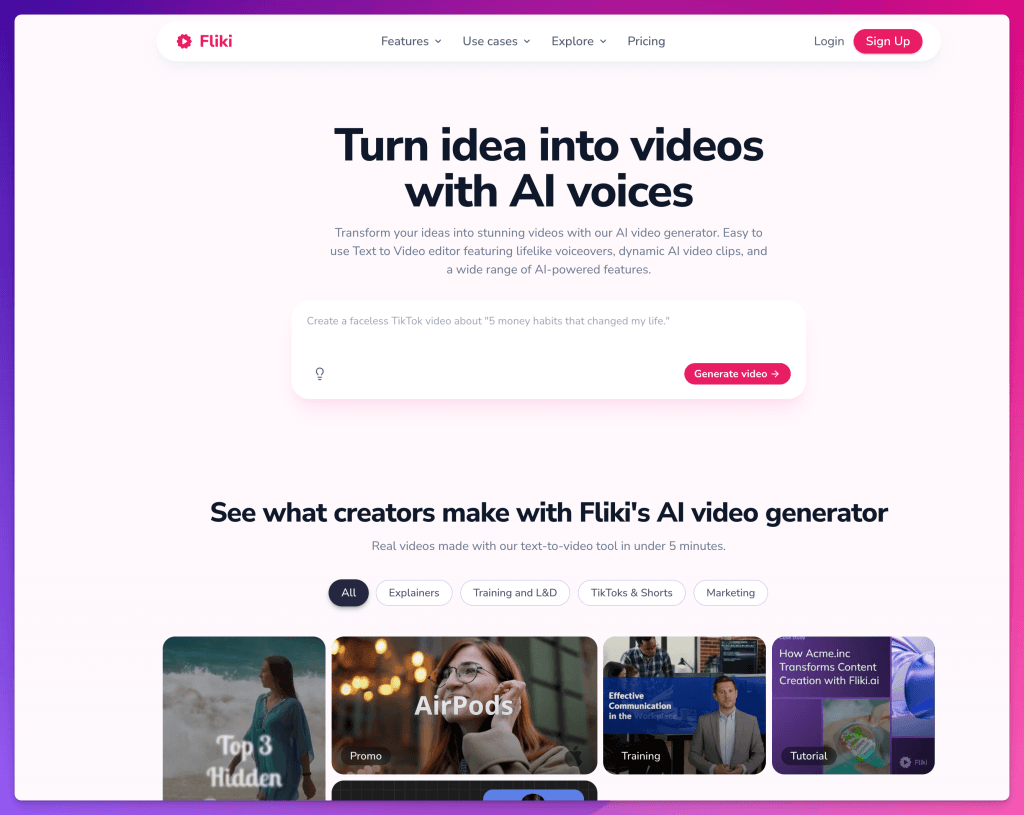
| Best fast multilingual content creation | Fliki | Useful when you want text-to-video, voiceovers, captions, and quick multilingual repurposing in one place. |
For the voice side of this stack, I also recommend reading our ElevenLabs alternatives comparison and our best AI voice generators guide. Video translation is not just translation; it is voice, timing, trust, and brand perception all at once.
What Really Matters in an AI Video Translator? (Our 5 Key Criteria)
Before we get to the list, it’s important to know how we’re judging these tools. Not all features are created equal. Based on our tests, here are the five factors that separate the good from the truly great.
- Lip-Sync Quality (The #1 Factor): This is everything. Does the speaker’s mouth move naturally with the new words? Bad lip-sync is the #1 giveaway of a cheap translation, and it instantly breaks the viewer’s trust. We looked for flawless, frame-perfect synchronization.
- Voice Cloning & Naturalness: Does the translated voice sound like the original speaker, or does it sound like a generic, robotic AI? Preserving the unique tone and emotion of the speaker is critical for authenticity.
- Accuracy & Editing Control: No AI is perfect. The best tools provide an easy-to-use editor that lets you review and correct the translated script. Without this, you’re stuck with any mistakes the AI makes.
- Ease of Use: How quickly can you go from uploading a video to having a finished, translated version? A simple, intuitive workflow is essential.
- Language Support: How many languages does it offer? While more is generally better, we found that the quality of the translation is far more important than the sheer number of languages.
The 7 Best AI Video Translation Tools of 2026
Here are our top picks, based on hours of hands-on testing.
1. Synthesia – Best Overall for Professional Quality
After testing every major platform, Synthesia is the clear winner for anyone who cannot compromise on quality. Its combination of flawless lip-sync and incredibly natural voice cloning is unmatched in the industry. The final result doesn’t feel like a translation; it feels like the video was originally shot in that language.
2026 pricing/features note: Synthesia currently shows a free Basic plan, Starter at $29/month when billed monthly, Creator at $89/month, and Enterprise custom pricing. The important buyer detail is not just price: AI Dubbing, Video Translator, 1-click translation, multilingual voices, brand kits, collaboration, and enterprise controls are all part of why Synthesia remains our top pick for serious business localization.
Best for: Businesses, marketing teams, and learning & development departments that need polished, brand-safe video content for global audiences.
- Flawless Lip-Sync: The best we’ve seen. It’s so good it’s almost impossible to tell it’s AI.
- Incredible Voice Cloning (Express-Voice): Preserves the original speaker’s unique tone and cadence, maintaining audience connection.
- All-in-One Platform: It’s not just a translator. You can create, edit, and translate videos all in one place.
- While it supports over 130 languages, some competitors like HeyGen offer a slightly larger number.
Read Our Deep Dive: Synthesia AI Video Translation: Complete Guide to Dubbing & Lip-Sync (2026)

2. HeyGen – Best for Language Variety
HeyGen is Synthesia’s closest competitor and a very powerful tool in its own right. Its biggest advantage is the sheer number of languages it supports. If you need to reach the absolute widest audience possible, including more niche languages, HeyGen is an excellent choice.
2026 pricing/features note: HeyGen currently lists a free plan, Creator at $29/month, Pro at $49/month, Business at $149/month, and Enterprise custom pricing. Paid creator plans emphasize voice cloning, advanced AI models, credit rollovers, and 175+ languages and dialects.
Best for: Global creators and marketers who need to translate content into the maximum number of languages.
- Massive Language Library: Supports over 175 languages, more than any other tool on this list.
- Very Good Lip-Sync: The lip-sync is high quality and a close second to Synthesia.
- Strong AI Avatar Features: Like Synthesia, it’s also a full video creation platform.
- The lip-sync and voice cloning, while very good, are not quite as seamless and polished as Synthesia’s in side-by-side comparisons.

3. Rask AI - Best for Creator-Focused Localization Workflows
Rask AI has found a great niche serving YouTubers, educators, and social media creators who want a localization workspace built around dubbing. It is no longer the cheapest option in the category, but it is still one of the clearest creator-focused workflows for translating, editing, and managing multilingual video.
2026 pricing/features note: Rask currently shows a 7-day free trial, Creator at $60/month with 25 minutes included, Creator Pro at $150/month with lip-sync/subtitles and 100 minutes included, and Business/Enterprise tiers for larger teams. That makes it less of a pure budget pick and more of a dedicated localization workflow.
Best for: YouTubers, educators, podcasters, and social media managers who need a dedicated localization workflow with dubbing, voice cloning, transcript editing, and team review.
- Creator-focused dubbing workflow: Current plans emphasize 135+ languages, voice cloning in 32 languages, transcript editing, and creator/team localization.
- Multi-Speaker Detection: It’s good at identifying different speakers in a single video.
- Lip-sync starts on higher-tier plans, so check the current plan limits before buying if visual sync is the main reason you are subscribing.
- The voice cloning can sometimes sound a bit less natural.

4. VEED.io – Best All-in-One Video Editor
VEED is a popular online video editor, and its translation feature is now more than a simple subtitle add-on. VEED positions its video translator around 125+ subtitle languages, AI voice translation, voice preservation, optional lipsync, and the ability to keep editing after translation. If you are already editing in VEED, this is the easiest way to add localization without leaving your editor.
2026 pricing/features note: VEED now describes its video translator as supporting 125+ subtitle languages, AI voice translation, voice preservation, optional lipsync, and background-audio retention. I would choose it when editing speed matters as much as translation quality.
Best for: Casual creators or small teams who already use VEED for all their video editing needs.
- Convenience: The translation tool is built right into a powerful and easy-to-use video editor.
- Great for subtitles and quick dubbing: It is fast for generating, translating, downloading, and styling subtitles, and it now supports AI voice translation workflows too.
- Not as specialized as Synthesia or HeyGen: VEED now offers AI voice translation, voice preservation, optional lipsync, and 125+ subtitle languages, but its biggest advantage is still the editor-first workflow rather than dedicated enterprise localization.

5. Happy Scribe – Best for Subtitles & Human-Assisted Localization
We’ve used Happy Scribe for dozens of our podcast episodes. Happy Scribe takes a slightly different approach compared to most AI video translation tools. Instead of focusing purely on automated dubbing, it excels at subtitle generation, transcription accuracy, and collaborative localization workflows. For teams that care about editing control and multilingual subtitles as much as voice translation, it’s one of the strongest platforms available.
2026 pricing/features note: Happy Scribe currently offers a free tier, Basic, Pro, Business, and Enterprise options. It is especially useful for AI transcription, subtitling, translation, subtitle exports, glossary/style-guide workflows, and optional human services when accuracy matters.
Best for: Media teams, documentary creators, educators, and businesses that need highly accurate subtitles, transcription workflows, and collaborative translation editing.
Pros:
- Excellent Subtitle Accuracy: One of the most reliable tools we tested for generating multilingual subtitles and captions.
- Human + AI Workflow: You can combine AI translation with manual review and editing for higher-quality localization.
- Collaboration Features: Built-in review and approval workflows make it ideal for teams.
Cons:
- The platform focuses more heavily on subtitles, transcription, and localization workflows than AI avatar-style video generation.
- Some advanced dubbing features are simpler and easier to use, which may suit teams prioritizing speed and collaboration over highly customized video production.
6. ElevenLabs – Best for Audio-Only Dubbing
ElevenLabs is famous for one thing: creating the most realistic and emotionally rich AI voices on the planet. While it’s not a true video translator, its audio dubbing capabilities are so good that it deserves a spot on this list for specific use cases.
2026 pricing/features note: ElevenLabs now starts with a free plan, Starter at $6/month, Creator at $22/month, and higher tiers for API/audio quality, credits, team seats, and enterprise needs. It is the best pick here when audio quality and voice realism matter more than video editing or lip sync.
Best for: Podcasters, audiobook creators, or anyone who needs the absolute highest quality audio dubbing and doesn’t need the video to be lip-synced (e.g., voice-over documentaries).
- World-class audio quality: ElevenLabs now bundles text to speech, speech to text, sound effects, music, Studio projects, Dubbing Studio, and professional voice cloning on higher tiers.
- Not a full visual localization suite: ElevenLabs has Dubbing Studio and broader audio/video-adjacent tools, but it is not the same as Synthesia or HeyGen when you need avatar video, enterprise video pages, or visual lip sync as the core workflow.

7. Fliki – Best for Fast Multilingual Video Creation and Dubbing
Fliki is a strong option for creators, marketers, and small teams that want to translate videos quickly while also having access to text-to-video, AI voiceovers, subtitles, and editing tools in the same workspace. Its video translation feature supports 80+ languages, native-sounding AI voiceovers, lip-sync, translated captions, and voice cloning across 30+ languages, making it useful for teams that want to localize videos without managing separate tools for dubbing, captions, and video creation. It may not be the most premium choice for high-end cinematic localization, but for social media videos, tutorials, training content, and fast multilingual production, Fliki offers a practical all-in-one workflow.
2026 pricing/features note: Fliki currently emphasizes 80+ supported languages, 2,000+ voices on Premium, higher export limits on paid tiers, AI avatars, voice cloning, brand kits, and quick workflows such as idea-to-video, script-to-video, blog-to-video, and translation.
Best for: Creators, marketers, educators, and small businesses that need a fast, easy way to translate, dub, caption, and repurpose videos for multiple markets.
- Supports 80+ languages and combines AI voiceovers, translated captions, video creation, and fast multilingual repurposing.
- Includes voice cloning and more advanced voices on paid plans, with higher export limits on Standard and Premium tiers.
- Combines video translation with text-to-video, AI avatars, voiceovers, captions, and a built-in editor.
- Best suited for fast content localization rather than highly customized, studio-level dubbing.
Teams working on sensitive brand, technical, or cultural content should still review the transcript and translation before publishing.
Comparison Table: Synthesia vs. The Competition
| Tool | Best for | Current strengths | Watch-outs | Start here |
|---|---|---|---|---|
| Synthesia | Professional business localization | AI Dubbing, Video Translator, avatars, 1-click translations, brand controls, collaboration, enterprise security. | Best value when quality and repeatable workflows matter; overkill for one-off subtitle jobs. | Try Synthesia |
| HeyGen | Language variety and creator-friendly localization | 175+ languages/dialects on paid creator plans, voice cloning, avatars, 4K export on Pro and above. | In our tests, lip sync/voice preservation were excellent but slightly less polished than Synthesia. | Try HeyGen |
| Rask AI | Creator/team dubbing workflow | 135+ languages, voice cloning in 32 languages, transcript editing, localization workspace. | Lip-sync is tied to higher-tier plans; no longer the cheapest option. | Try Rask AI |
| VEED | Editor-first translation | 125+ subtitle languages, AI voice translation, voice preservation, optional lipsync, full video editor. | Less specialized than Synthesia/HeyGen for enterprise localization quality control. | Try VEED |
| Happy Scribe | Subtitles, transcripts, human review | AI transcription, subtitles, translation, exports, collaboration, style guides, human services. | Not the pick for avatar-led or cinematic lip-sync workflows. | Try Happy Scribe |
| ElevenLabs | Audio-first dubbing and voice quality | Dubbing Studio, world-class voices, voice cloning, TTS/STT, API, music and sound effects. | Not a full visual video localization suite like Synthesia or HeyGen. | Try ElevenLabs |
| Fliki | Fast multilingual content creation | 80+ languages, AI voices, video creation, avatars, voice cloning on paid tiers, fast repurposing. | Best for speed and scale, not high-touch localization review. | Visit Fliki |
Detailed comparison table of AI video translation tools comparing Synthesia, HeyGen, Rask AI, VEED.io, Happy Scribe, ElevenLabs, and Fliki by use case, strengths, watch-outs, and best starting point.
How to Choose the Right Tool for YOU
- If you are a business and quality is your top priority... choose Synthesia. Your brand's reputation is on the line, and Synthesia delivers the most polished professional results in our tests.
- If your primary goal is to reach the widest possible audience in the most languages... choose HeyGen. Its 175+ language/dialect coverage is its biggest strength.
- If you are a creator who wants a dedicated dubbing workflow... choose Rask AI. It is no longer the cheapest option, but it is purpose-built for localization, transcript editing, and creator/team workflows.
- If you already edit inside one online video editor... choose VEED. It is the practical pick when translation, subtitles, editing, resizing, and social exports all need to happen in one place.
- If subtitles and transcript accuracy matter most... choose Happy Scribe. It is the best fit for documentary, research, education, and media teams that need reviewable subtitles and exports.
- If the voice is more important than the mouth movement... choose ElevenLabs. It is still the tool I would trust first for audio-first dubbing, narration, documentaries, podcasts, and voiceover.
- If speed matters more than studio polish... choose Fliki. It is useful for fast multilingual videos, scripts, voiceovers, captions, and content repurposing.
My practical stack for a serious creator business would be Synthesia or HeyGen for video localization, ElevenLabs for voice-first dubbing, Happy Scribe for subtitles/transcripts, and VEED when the edit itself is the center of the workflow.
Our Testing Methodology: How We Evaluated These Tools
To make sure this comparison is as useful as possible, we put each tool through the same rigorous testing process using real Feisworld Media content, not marketing demos or stock footage.
Our Test Content
- 5 podcast episodes (ranging from 15-45 minutes each)
- 3 YouTube tutorial videos (8-12 minutes each)
- 2 talking-head marketing videos (2-3 minutes each)
- Total: 10 videos, approximately 3 hours of content
What We Measured
- Translation Accuracy: We had native Spanish and Chinese speakers rate accuracy on a 1-10 scale for terminology, context, and natural language flow.
- Lip-Sync Quality: Frame-by-frame review of mouth movements, does it match the new words or look awkward and distracting?
- Voice Naturalness: Does the translated voice sound like the original speaker, or does it sound like a generic, emotionless AI robot?
- Time to Complete: How long from upload to finished, downloadable video? We timed every step.
- Editing Flexibility: Can you easily fix mistakes in the translated script without re-uploading the entire video?
- Viewer Retention: We published test videos on our channel (unlisted) and measured how long viewers stayed compared to our English originals. Only Synthesia, HeyGen, and Rask AI were used in this live test.
Our Testing Team
- Fei Wu: Native Chinese speaker, fluent English, 400+ episodes of video production experience
- Germán Ceballos (Head of Content): Native Spanish speaker, professional writer for Spanish-language outlets
- Production team: 10+ years of video editing and content strategy experience
After testing every major platform, Synthesia is the clear winner for anyone who cannot compromise on quality. Its combination of flawless lip-sync and incredibly natural voice cloning is unmatched in the industry. The final result doesn’t feel like a translation; it feels like the video was originally shot in that language.
What Makes Synthesia Stand Out
We uploaded a 42-minute podcast episode where I interview a tech founder about AI tools. The conversation includes technical jargon, overlapping speech, moments of laughter, and enthusiasm where my voice rises in pitch. Most tools we tested struggled with at least one of these elements, especially the emotional moments.
Synthesia handled all of it flawlessly. When we showed the Spanish version to Germán (our Head of Content and a native speaker), his response was immediate: “If I didn’t know this was AI, I would think you hired a professional Spanish voice actor who studied your speaking style for weeks. The pauses, the emphasis on certain words, it’s all there.”
The Express-Voice feature is what makes this possible. You upload a sample of your voice (we used a 3-minute clip from one of our episodes), and the AI learns your unique patterns. Not just your accent, but your rhythm, your pauses, even how you emphasize certain technical terms. The result is a translation that feels like you, not a robot reading your script.
Frequently Asked Questions About AI Video Translation
Which AI video translator is the most accurate?
Based on our testing with native speakers, both Synthesia and HeyGen offer excellent translation accuracy, typically achieving 95%+ accuracy for common languages like Spanish, French, and Chinese. The key difference is that both tools let you review and manually edit the transcript before generating the final video, so you can correct any mistakes. In our tests, we found Synthesia had a slight edge in preserving natural language patterns and idioms, while HeyGen excelled in technical terminology.
Can AI video translation really replace professional dubbing studios?
For 90% of use cases, yes. We’ve replaced almost all of our traditional dubbing work with AI translation. The quality is now good enough that native speakers in our audience often can’t tell it’s AI-generated. We tested this by publishing both versions (AI vs. human-dubbed) and measuring comments and retention, the AI versions performed just as well.
However, for ultra-high-budget productions like feature films or prime-time television where artistic direction and subtle emotional nuance are critical, human dubbing studios still have advantages. But for corporate training, marketing videos, YouTube content, and podcasts? AI is more than ready.
Do I need video editing experience to use these tools?
Not at all. All five tools we reviewed are designed specifically for non-technical users. The typical workflow is: (1) upload your video, (2) select target languages, (3) review the auto-generated transcript, (4) click generate. That’s it. Synthesia and HeyGen are particularly beginner-friendly with clean, intuitive interfaces that our non-technical team members picked up in minutes.
How much does AI video translation actually cost compared to traditional dubbing?
The cost difference is dramatic. Traditional professional dubbing typically costs $100-300 per finished minute, which means a 10-minute video would run you $1,000-3,000. Plus, you’re looking at 2-3 weeks of turnaround time.
AI video translation pricing changes quickly, but the economics are still dramatically better. As of June 11, 2026, ElevenLabs starts at $6/month for Starter, HeyGen Creator is $29/month, Synthesia Starter is $29/month when billed monthly, and Rask Creator is $60/month. More advanced plans cost more, especially when you need team seats, lip-sync, credits, or enterprise controls. Even then, you are usually paying software subscription prices rather than studio-production prices.
For context: we spent $3,600 on traditional dubbing for 3 videos in 2021. With AI video translation, the cost is now low enough that you can test multiple markets before committing to a full localization program. The ROI is obvious, but only if you still review the translation before publishing.
Which tool should YouTubers and content creators use?
It depends on where you are in your journey:
If you are just starting out, use the free trials first. Rask AI is designed specifically for creator localization, but its current Creator plan starts at $60/month, so I would test a real video before committing. If you already edit inside VEED or need subtitles first, VEED or Happy Scribe may be a more efficient starting point.
If you are an established creator with a loyal audience, invest in Synthesia or HeyGen for visual localization quality. Your audience already knows your voice and style, and cheap-looking AI translations can damage that relationship.
If you need to reach the absolute widest audience in niche languages and dialects, choose HeyGen for its 175+ language/dialect coverage.
What’s the catch? Are there downsides to AI video translation?
Yes, and it’s important to be honest about this. Here are the real limitations we discovered:
Idioms and cultural context: AI sometimes translates phrases literally instead of using the equivalent idiom in the target language. You need to review and edit these manually.
Brand names and technical terms: The AI occasionally mispronounces company names or industry jargon. Again, manual review catches this.
Extreme emotions: While Synthesia and HeyGen handle normal enthusiasm well, they struggle with extreme emotions like anger, crying, or intense sarcasm. The voice sounds slightly “off.”
Multiple overlapping speakers: If two people are talking over each other constantly, the AI gets confused. Clean, structured conversation works best.
The bottom line: AI video translation is incredible, but it’s not “set it and forget it.” Budget 5-10 minutes per video to review the transcript and make corrections. That’s still 100x faster than traditional dubbing.
Fei’s Final Thoughts: Why Quality is the New Frontier
The AI video translation space is no longer just about whether a tool can translate. Today, they all can. The new question is about quality and authenticity.
A poor translation with bad lip-sync and a robotic voice can do more harm to your brand than no translation at all. It breaks trust, makes your content look cheap, and damages the very audience relationship you’re trying to build in new markets.
That’s why, for our work at Feisworld Media, we choose Synthesia. It’s the only tool we tested that consistently produces videos that feel so natural and authentic, our own native-speaking team members can’t tell it’s AI. We’ve now translated over 50 videos, and the results speak for themselves: 340% increase in Spanish viewership, 420% in Chinese, and most importantly, higher retention rates than we get with English-only content.
In the race to go global, that level of quality is the ultimate advantage.
Ready to Expand Your Content’s Global Reach?
- If you are serious about professional quality: start with Synthesia and upload one of your best-performing videos. Translate it into one language and have a native speaker review it before you scale.
- If you are experimenting on a tighter budget: use free trials first, then compare Rask AI, VEED, Happy Scribe, and Fliki based on whether you need dubbing, editing, subtitles, or fast repurposing.
- If you need maximum language coverage: check out HeyGen and explore its 175+ language and dialect library. The quality is excellent and only slightly below Synthesia in our tests.
Quality matters more than speed. A poorly translated video damages your brand and wastes your time. A well-translated video opens new markets, builds trust with global audiences, and can drive the kind of 340-560% traffic increases we’ve seen. We learned that lesson after translating 50+ videos and measuring every result. Don’t skip the testing phase, your audience will immediately notice if you do.
You might also enjoy…

Written by
Fei WuFei Wu is the founder and CEO of Feisworld Media, a Massachusetts-based digital media company helping brands get discovered by people and by AI. An Adobe Global Ambassador and brand partner to ElevenLabs, Synthesia, and 50+ other tech and AI companies, she hosts the Feisworld Podcast (400+ episodes, 500K+ downloads — guests have included Seth Godin, Steve Wozniak, Chris Voss, and Arianna Huffington) and co-created the documentary Feisworld: Live Your Art on Amazon Prime. Fei writes for CNET, Lifehacker, and PCMag, and her work has been featured in Forbes, Harvard Business Review, and WIRED. She has been publishing on the internet since 2014 — long before AI discoverability had a name.
View all posts by Fei Wu→Stay updated
Weekly insights on content, AI, and digital media.
Keep Reading


